You can purchase a subscription via SMS only from within Romania and using a phone number from the operators: Vodafone Romania, Orange Romania, Telekom Mobile Romania (formerly Cosmote), DigiMobil Romania.
Payments can also be made using a prepaid SIM card.
Note: The DigiMobil operator accepts SMS payments of up to 10 euros only. For Orange, Vodafone, and Telekom, the maximum amount that can be paid via SMS is 20 euros.
Here is how you can make a payment via SMS using a number from Vodafone, Orange, or Telekom Mobile networks:
Log into your account, click on the "Basic: Upgrade" button (next to the site logo, in the upper right corner).
Check the SMS payment method, then carefully select and check the desired subscription (Silver, Gold , or Platinum ) and the period. Press the green "Order" button next to the chosen subscription and follow the indicated steps.
Basically, you will reach a page with a field where you are asked to enter the correct phone number; then click the green "Continue" button.
On the page that opens, enter your phone number and click the "Continue" button. You will be redirected to the Telpay payment processor page, where all the details regarding the transaction you want to make will be displayed. Click "Continue" and the first payment instruction will be shown.
Follow it, and you will immediately receive an SMS with the necessary instructions to complete the payment.
In principle, you need to send a first SMS with the displayed code and then a second SMS confirming the payment. In any case, you will receive exact instructions via SMS.
The transaction is completed within a few minutes, at which point the subscription is activated.
If you do not see your subscription update immediately, it is sometimes necessary to refresh your account data. Please log out (using the "Log out" button in the top right corner) and then log back in with your username or email address and password to update the information on your device.
If you want to purchase a subscription using a number from the DigiMobil network, here are the steps you need to follow.
First, choose the subscription: log into your account, click on "Current subscription: Basic" (top right next to your profile picture).

Select the 1-month period and press the green "Order" button next to the chosen subscription (Premium, PremiumPlus). You will reach a page with a field where you are asked to enter your phone number; then click the green "Continue" button.
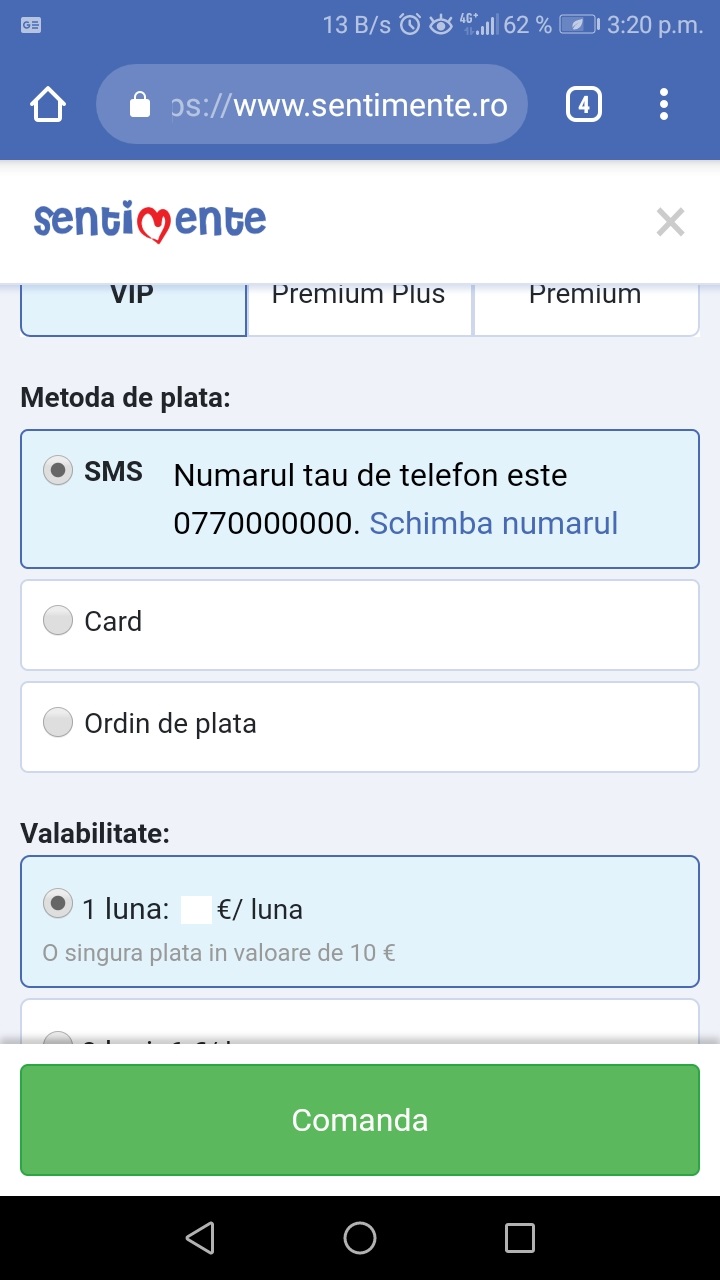
On the page that opens, enter your phone number and click the "Confirm" button. Payment instructions will be displayed.
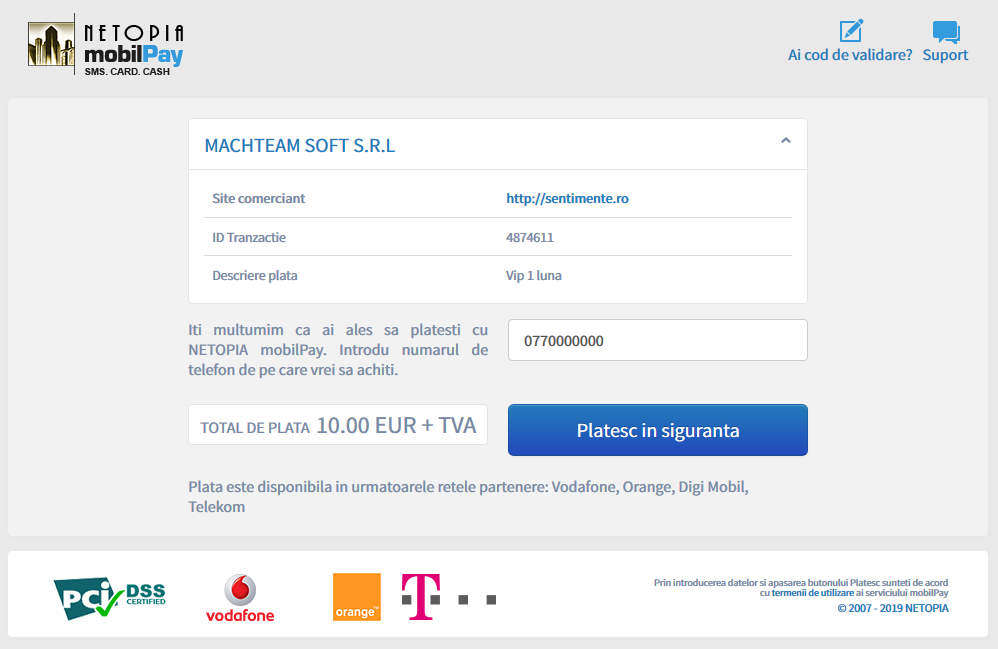
To make the payment, you must send the code displayed on the payment page via SMS to the displayed short number. After sending the correct code via SMS, you will receive an SMS containing a validation code. You must enter the validation code in the field displayed on the payment page and then press the "Validate" button.
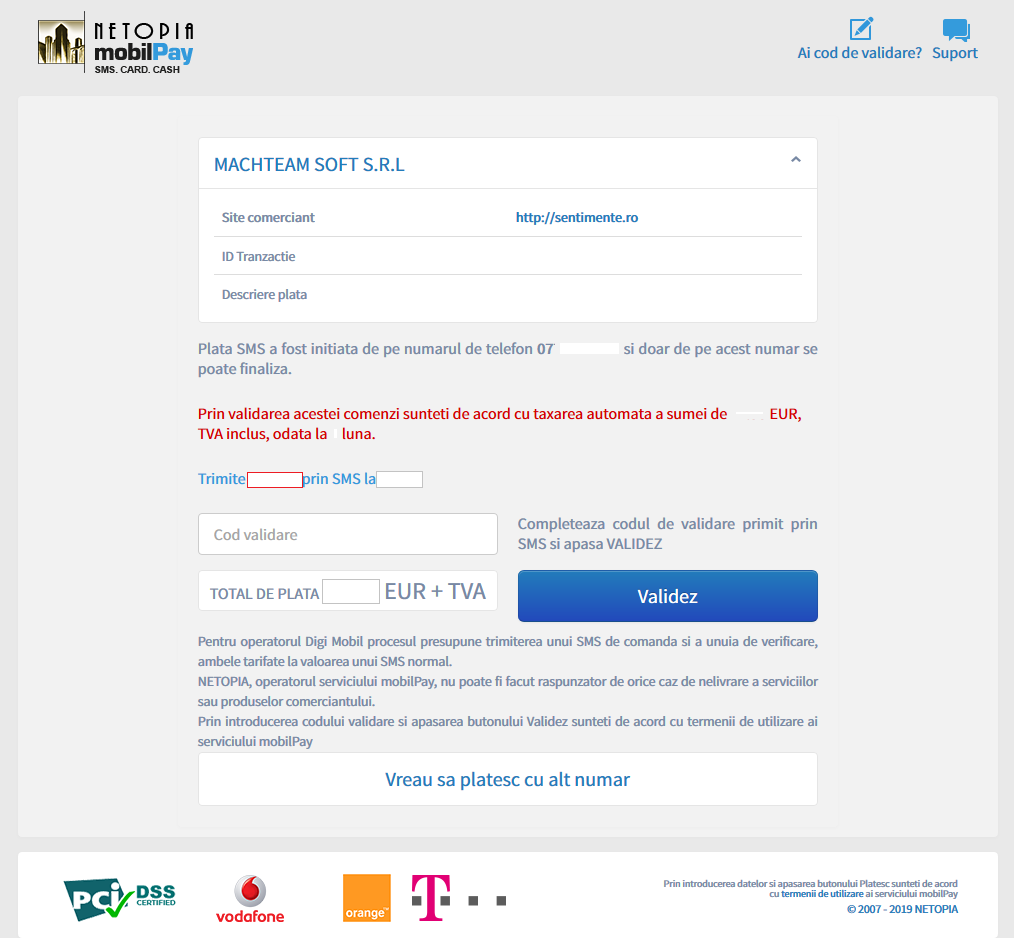
The transaction is completed within a few minutes, at which point the subscription is activated.